Celebut LogoContact

Your World of Meaningful Moments

Where Every Moment Becomes a Celebration

From personal milestones to global connection.
Celebut is where stories, people, and purpose meet in one dynamic digital space.
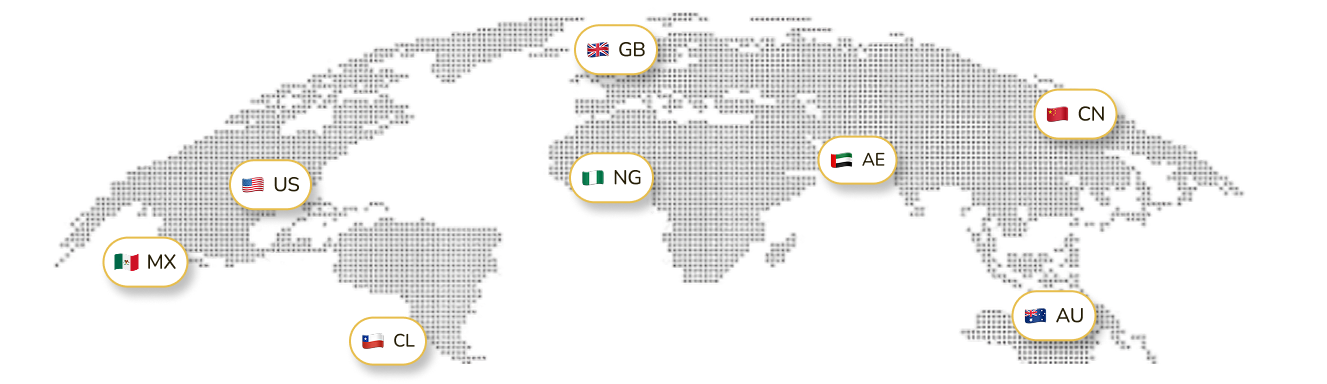
Global celebration map

Where Millions Celebrate as One

Join over millions of people who have made Celebut their go-to platform for celebrating every milestone, connecting with loved ones, and expressing life's most joyful experiences

Join the Waitlist

Vision

To become the universal platform that celebrates humanity — one that unites personal stories, milestones, and brands under a single, seamless digital experience.

To connect millions through moments that matter, transforming celebration into a universal language of humanity.

01

Mission

We are building a connected world where users can profile their journey, celebrate every achievement, communicate seamlessly, and commercialize their creativity — all within one platform designed to celebrate life itself..

To make every person feel seen, every story remembered, and every connection meaningful.
02

Features

App Interface
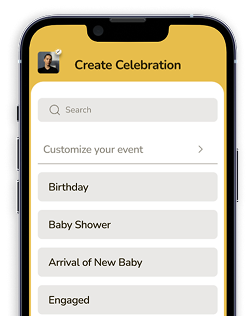
Pick the Celebrant!Choose Who You're Celebrating
Customized EventPersonalize your event, your way.
Enter a title for this event

Create Celebration

Design the perfect celebration in minutes — add photos, set your theme, invite loved ones, and make memories that last forever.

From birthdays to milestones, craft moments that shine brighter — personalize every detail.

Celebut lets you bring people together, share emotions, and honor life's special milestones effortlessly.

IphoneTest

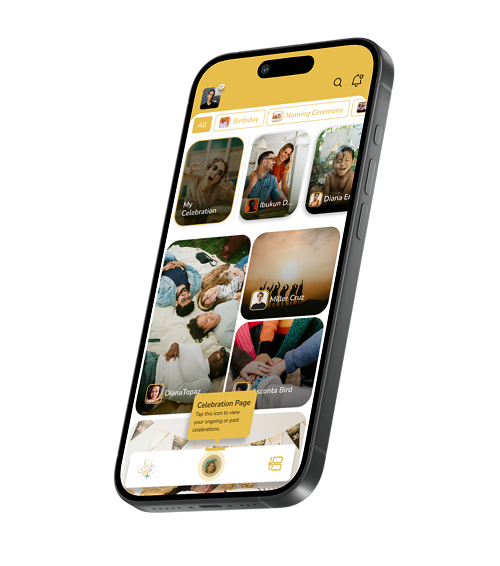
Celebration

Celebration Hub that brings together your milestones, well wishes, and reactions.

Giving you complete view of every meaningful moments shared within your network.

Here is where all your special moments live, from birthdays to milestone, and every joyful moment.

Main Balance

Main Balance is the trusted space where every celebration gift lands, every earning stays safe, and every withdrawal moves smoothly.

Experience next-gen control of your funds — fast transactions, total security, zero stress.

Join millions managing their Main Balance the easy way — your balance, your world.
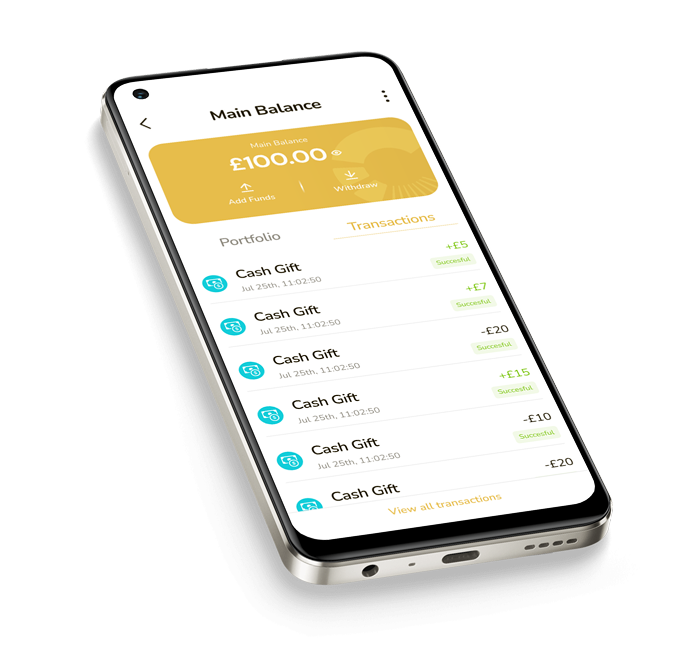
Wallet Interface
Main Balance
£100.00
Secured
CheckCash Gift sent successfully
Timeline illustrationFluent shareAnt design comment

Timeline

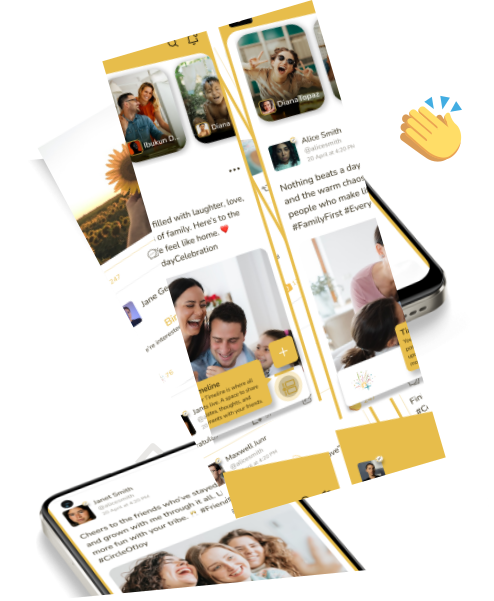
Your timeline keeps every joy, milestone, and connection alive — a visual diary of moments that matter.

Post, tag, and share every unforgettable moment — your timeline grows as your story unfolds.

Let your world see the beauty in every moment — your timeline is where memories never fade.

Rectangle
Frame
Iconamoon cursor
Mary James
FrameFrameFrameFrame

Profile

Manage your details, preferences, and everything that defines your experience.

Access and update your personal information anytime.

Verify your identity and connect with others, fostering genuine relationships within our secure celebratory ecosystem.

Friends & Followers

Discover, connect, and share moments with a growing network of friends and followers on Celebut.

Connect with people who celebrate your journey, share your moments, and stand by your story every step of the way.

Build Your Circle, Grow Your Influence

Ellipse
Friend
Friend
Friend
Friend
Mdi light settingsMdi light settings
Language
Linked Devices
Change Password
Change Transaction Pin
Who Can Surprise Me ?
Who Creates My Celebration ?

Interest

News and Event
Entertainment
Movies
Lifestyle
Personal Development
Sports

Settings

Manage your preferences, control your privacy, and personalize how you experience Celebut — all in one place.

Customize your account settings, update your details, and shape the way you connect and celebrate on Celebut.

Stay in charge of your digital world, make Celebut truly yours with just a few taps.

Notifications

Be the first to know what's happening — messages, reactions, and celebration moments, delivered instantly.

From celebration invites to connection alerts, Celebut keeps every important notification right where you need it.

Rectangle
Post Commented
Your post received a comment from Noah
Last Year
Rectangle
Celebration Post
Create a post to celebrate your milestone.
Last Month
Rectangle
New Celebration
Ethan_23 created a birthday celebration for you
Last Month
Rectangle
Friend Request
You just receive a friend request from morscino22 Follow back to become Friends
2 days ago

You've Got Questions?

We've got answers! Explore our FAQs to clear your doubts and get started with confidence.

To create a celebration:

  • Sign in or create an account on Celebut.
  • Tap "Create Celebration" from your Navigation bar.
  • Select the type of celebration.
  • Choose a celebration title or enter one in the custom field.
  • Select a “Myself” to create a celebration for yourself, or choose "A Friend" to create a celebration for your friend.
  • Upload photos or videos.
  • Write a caption and choose your audience.
  • Write a “Thank You Note” as a gratitude for everyone that engaged with your celebration post. This note can be seen on the timeline after the celebration expires.
  • Share the celebration post with audience.

Celebut offers Celebration Royale a premium celebration experience, designed for users who want to go all out for a special moment. It comes with enhanced features

  • Private Celebration — An intimate celebration shared only with specific people you select.
  • Special Celebration — A special celebration shared with a broader or specific audience.
  • Surprise Event — A hidden celebration that stays secret from the celebrant until a date and time you choose, then reveals itself.

Celebrations run for a set duration of 24 hours. If you would like more time, you can extend it once by adding 6, 12, or 24 hours; this can be only done using the Celebration Royale feature. This extension is a one-time option — once used, it cannot be applied again to that celebration.

To Add funds to your Celebut Balance, send a Cash Gift, or receive payouts from your Celebration Gallery, you'll need to complete a quick identity verification (KYC) within the app. This is a one-time step that keeps the platform safe and compliant for everyone. Verification is handled by a trusted third-party provider and typically takes just a few seconds. Once verified, you'll have full access to Celebut's gifting features.
Go to your Balance from your profile and select "Add Funds". You can fund your Balance via bank transfer. Note: Add Funds feature is only available in Nigeria.
Navigate to your Balance, click on Withdraw Funds, select the cash gift portfolio to withdrawal from, and follow the on-screen steps. You must have a bank account linked before you can successfully withdraw from your withdrawable balance.
A Cash Gift is a direct monetary gift sent to a celebrant from your Celebut balance.
Cash Gifting is currently available in Nigeria only. To send a gift to someone in another country, you can use a Celebration Poster. We are working to expand Cash Gifting to more markets soon.
To send a Cash Gift, open the celebrant's active celebration post on the celebration page and tap the Cash Gift icon. From there, you can either select from a predefined list of amounts or enter a custom amount; the minimum you can gift is ₦1,000. Once you have chosen your amount, simply follow the prompts to complete the gifting process. The gift is sent instantly and deposited directly into the celebrant's Celebut balance. Note: Cash Gifting is currently available in Nigeria only. If you would like to gift a celebrant in another country, you can send a Celebration Poster instead. We are working to bring Cash Gifting to more markets soon.
A Celebration Poster is a digital gift someone can send to honour your special moment; a birthday, wedding, graduation, new job, or any milestone worth celebrating. Each Poster is a beautifully designed collectible tied to a specific celebration tier, ranging from warm gestures to grand, prestigious tributes. Celebration Posters combine heartfelt expression with community support, enabling celebrants to receive contributions from their network as part of their monthly celebration experience.

Celebration Posters are organised into tiers that reflect the scale and sentiment of the gesture:

  • Warm Celebration — Celebration Spark, Celebration Toast, Celebration Crown
  • Core Celebration — Celebration Champagne, Celebration Trophy, Celebration Royale
  • Prestige / Royal Tier — Celebration Throne, Celebration Jewel, Celebration Sapphire
  • Honor & Recognition — Celebration Red Carpet, Celebration Bouquet, Celebration Galaxy
Navigate to the celebrant's active Celebration in the Celebut app or web app and tap the celebration poster icon to view their Celebration Posters. Sending a Poster is completed on the Celebut web app or browser version; simply select your preferred Poster and finalise the gifting process. The recipient will see it arrive in their Poster Gallery.
Yes. You can send Celebration Posters to users anywhere in the world.
The Poster Gallery is where celebrants can view all Celebration Posters received from their community during the current celebration cycle.
Celebut operates on a monthly payout cycle. Posters received between the 1st and 20th of any month are paid out on the 12th of the following month. For example, Posters received during the March 1–20 cycle are paid out on 12th April. Any Poster received after the 20th rolls into the next cycle.
Two conditions must be met. First, your Poster Gallery must reach the minimum payout threshold; $30. Second, your payout date must fall within the active monthly cycle. If the threshold has not been reached by the payout date, your balance rolls over to the next cycle.
Your payout is sent directly to your linked bank account. To receive payouts, head to your Main Balance/Celebration Poster on Celebut and select "Link Account".
Celebration posts are live for 24 hours from the time of creation. If you like more time, you can extend it once by adding 6, 12, or 24 hours, this can be only done using the Celebration Royale feature; making the maximum duration 48 hours. After that, the post expires and moves to your Timeline.
Yes. you can add up to 5 additional media files to an ongoing celebration, while for Celebration Royale a premium celebration experience you can add up to 15.
Yes. You can report any post, comment, or video directly from the celebration interface. You will be asked to select a category such as graphic violence, drugs, child sexual abuse material, or pornography and if your reason is not listed, you can describe it in a free-text field.
Your Timeline is where all your posts, updates, and expired celebration posts live. It's your personal feed where your network can engage with your content and where you can keep up with theirs.
You cannot interact on an expired celebration post but you can view all media, past interactions, and any thank-you note written by the creator or celebrant.
Yes. You can report any post, comment, or video directly from the timeline interface. You will be asked to select a category such as graphic violence, drugs, child sexual abuse material, or pornography and if your reason is not listed, you can describe it in a free-text field.